

A great feature for Lightning Experience is support for using Visualforce buttons on list views. With this feature, you can use existing Visualforce actions in Lightning and work with multiple records in lists. Here’s an example of how:
Step 1: Create a Visual Force page – Code below:
<apex:page standardController="Account" recordSetVar="accounts" tabStyle="Account" sidebar="false" lightningStylesheets="true">
    <apex:form >
        <apex:pageBlock title="Edit Accounts" mode="edit">
            <apex:pageMessages />
            <apex:pageblockButtons location="top">
                <apex:commandButton value="Save" action="{!Save}" />
                <apex:commandButton value="Cancel" action="{!cancel}"/>
            </apex:pageBlockButtons>
        <apex:pageBlockTable value="{!selected}" var="A">
            <apex:column headerValue="Name">
                <apex:outputField value="{!A.name}"/>
            </apex:column>
            <apex:column headerValue="Owner">
                <apex:inputField value="{!A.OwnerId}"/>
            </apex:column>
       </apex:pageBlockTable>
    </apex:pageBlock>
  </apex:form>
</apex:page>
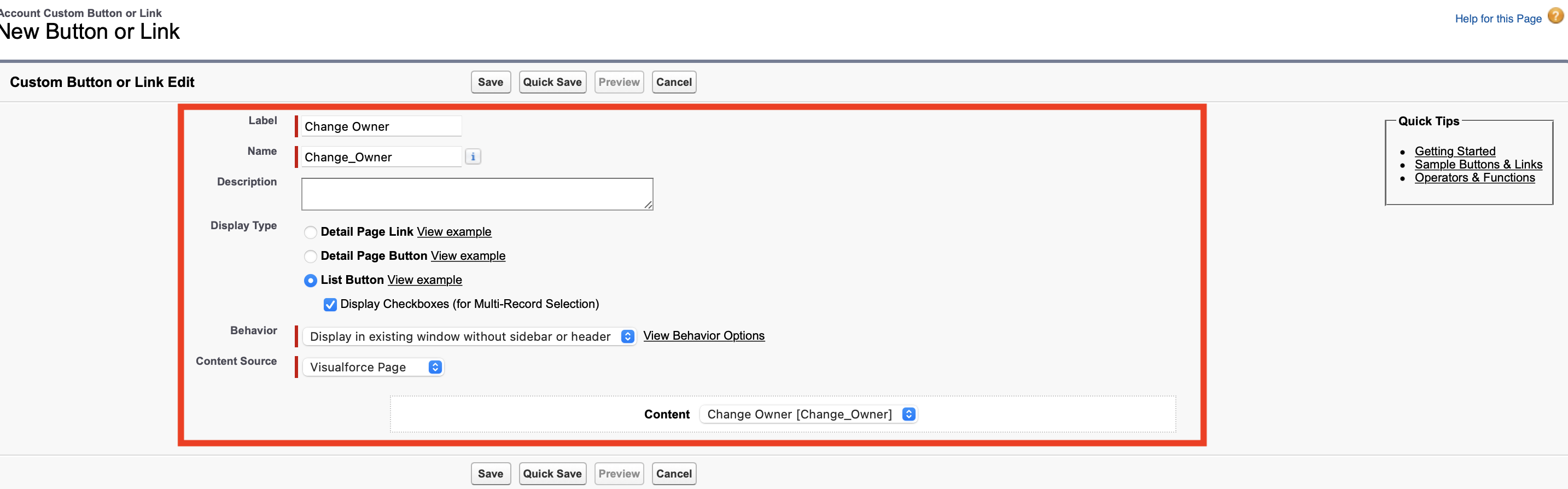
Step 2. Create a custom button on the Account Object and assign the visual force page to it. Name the custom button “Change Owner”.
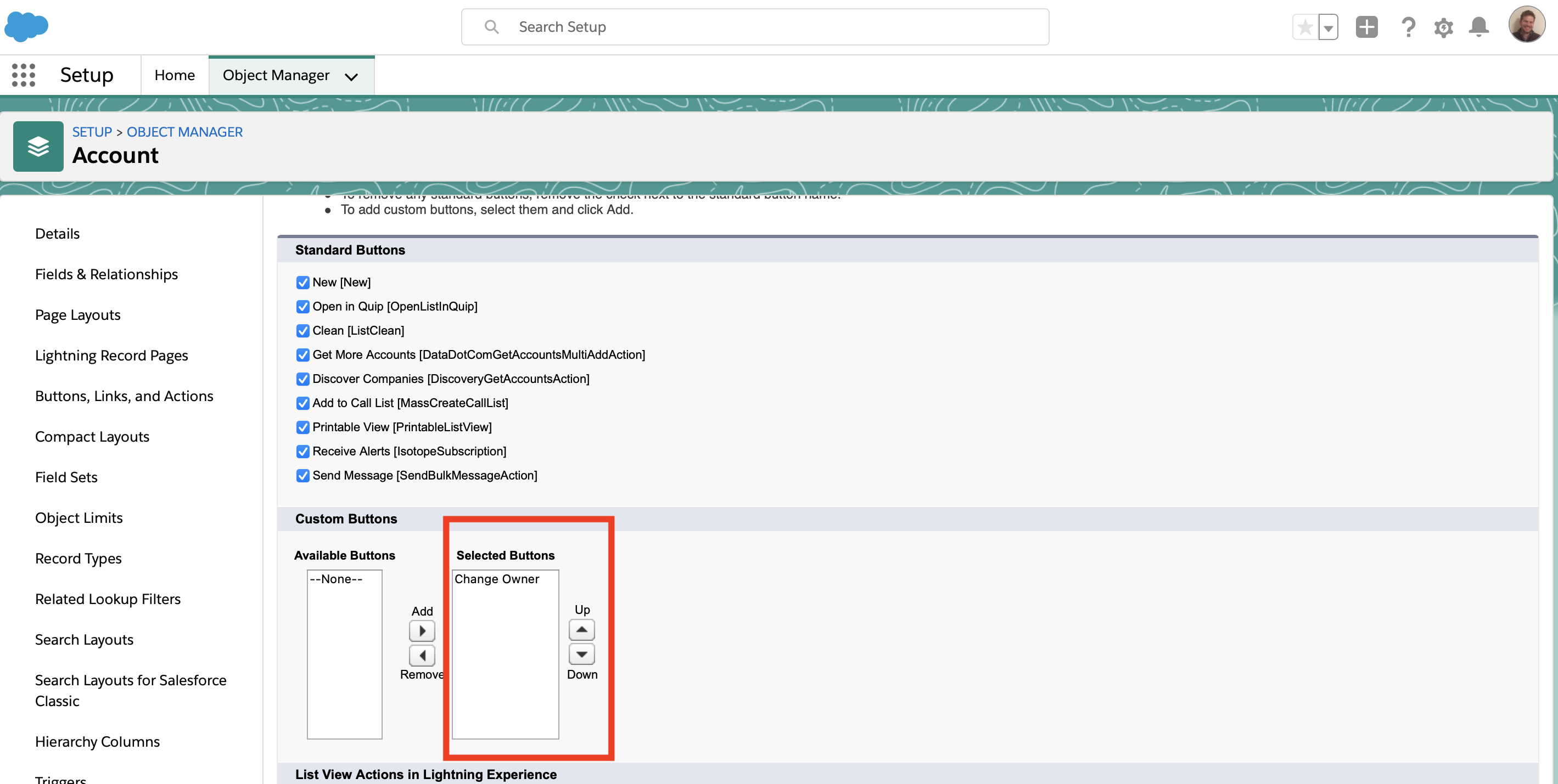
Step 3. Add the custom button to the search layout.
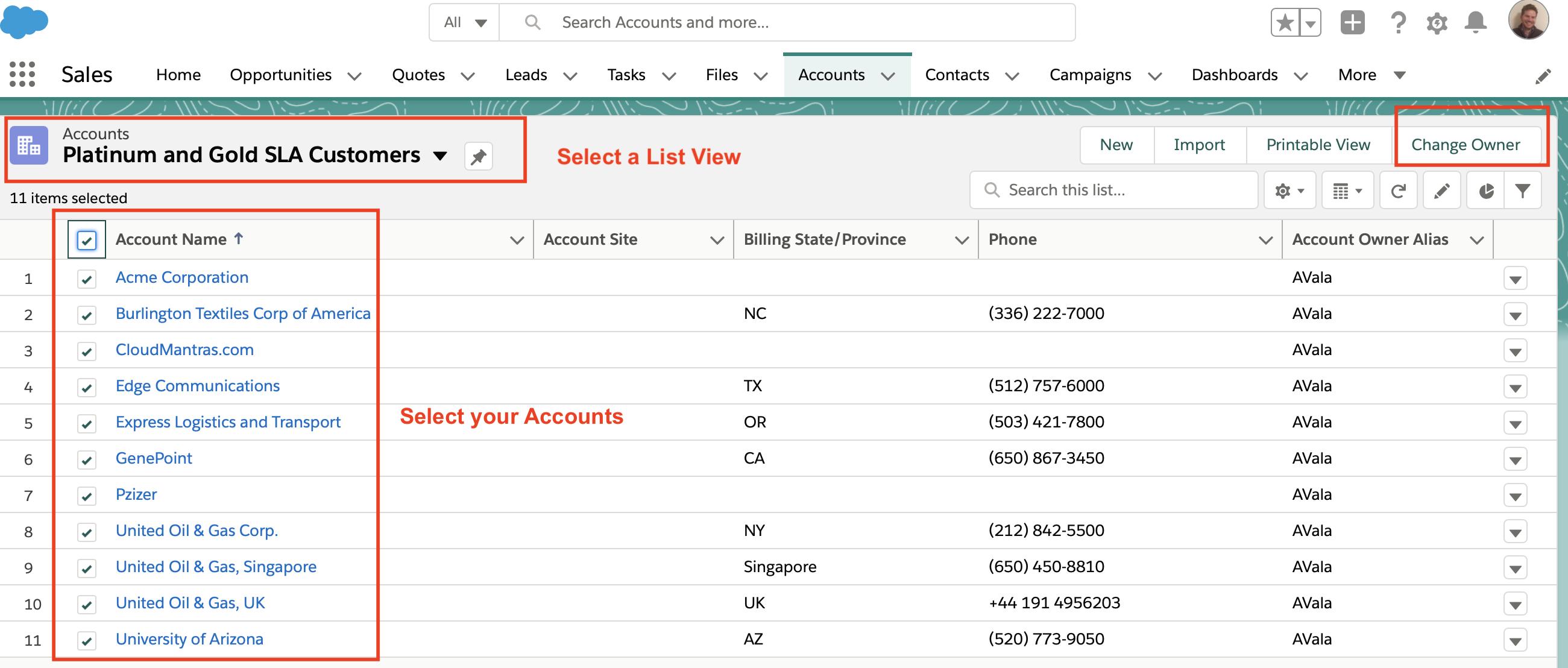
GREAT ! Now let’s test!!
From your Accounts select your Accounts you want to change ownership (make sure your List View doesn’t show your recently viewed Accounts).
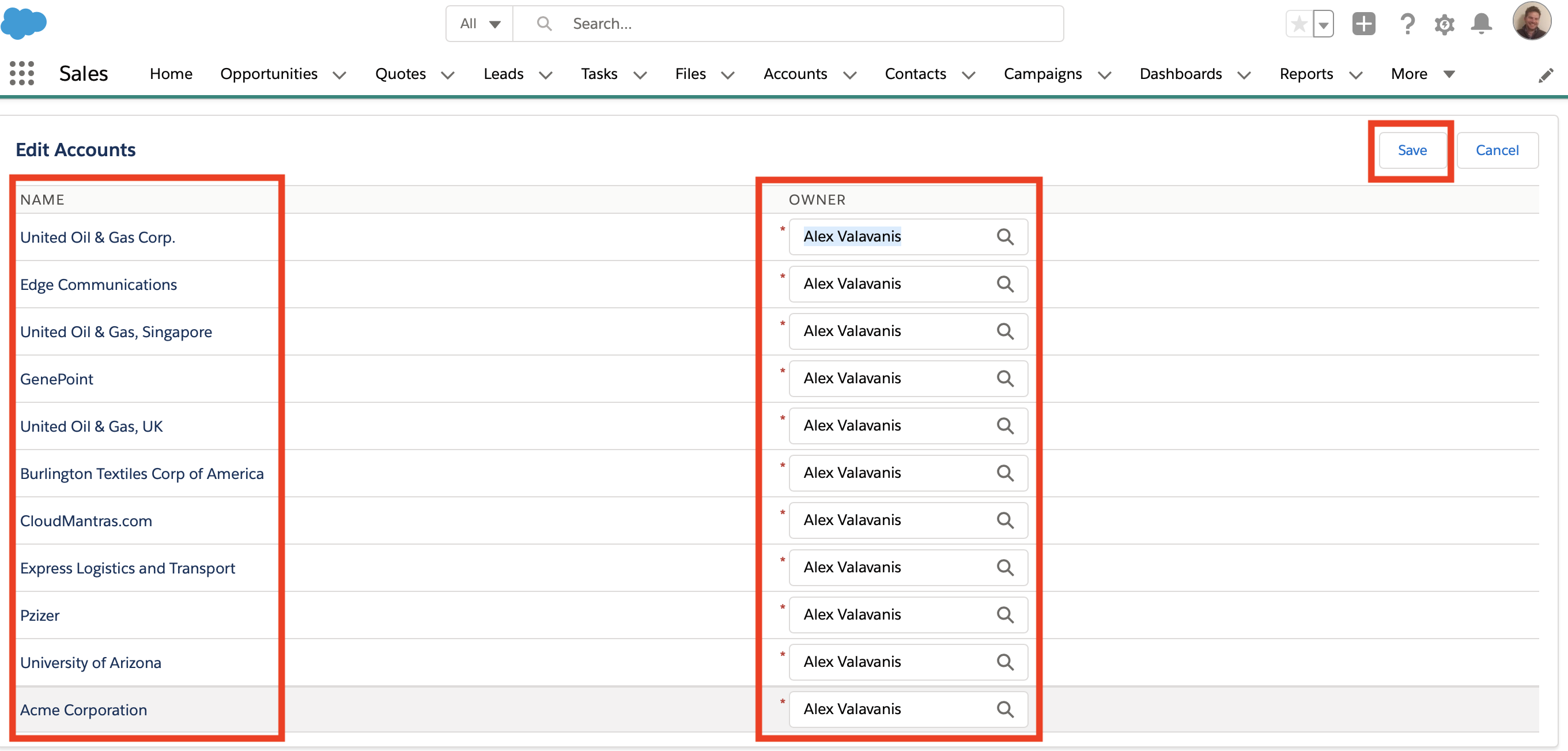
Visual force will show the below
 Cloud Mantras
This works when my profile is System Administration how can I open this feature to other profiles
Hello Shehani – You need to assign the Visual Force code to the profiles (you can do that from your Setup > Profiles)
Hello,
Can I add access to the VF code to a perm set?
Hello
Hello
This is amazing. Do you have the test class written up? If so do you mind sharing it with me?
Thank you – There is no Apex Class for this
Hi Alex, This solution is amazing. I have implemented it for Task object but
– doesnt work for Queues,it only works for user. Can this be resolved somehow?
Do I understand correct that you should populate every record’s owner to update? Not just choose owner user once?
Hello, From your list view choose your records and change the ownership.
Thank you,
Alex
Hi ! Do I understand correct, you need to populate every record’s owner one by one? There is no option to choose new owner one time to all records?
Hello, Choose your Account records from your list view and change the ownership.
Thank you,
Alex