
QR code stands for Quick Response code and contains information in strings of characters and can be scanned with a QR scanner or using your smartphones. Below we’ll use a QR code to see the attendance of an event in Salesforce and track who has attended an event.
- Create 2 custom fields on Campaign Object

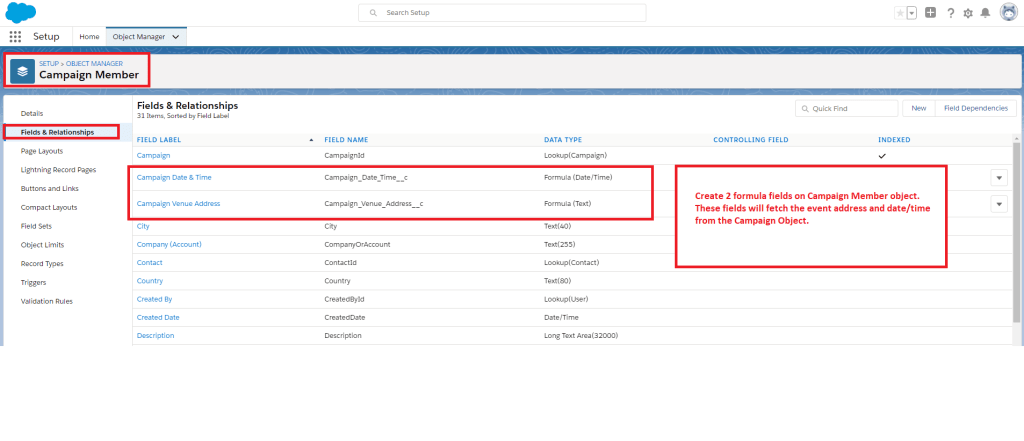
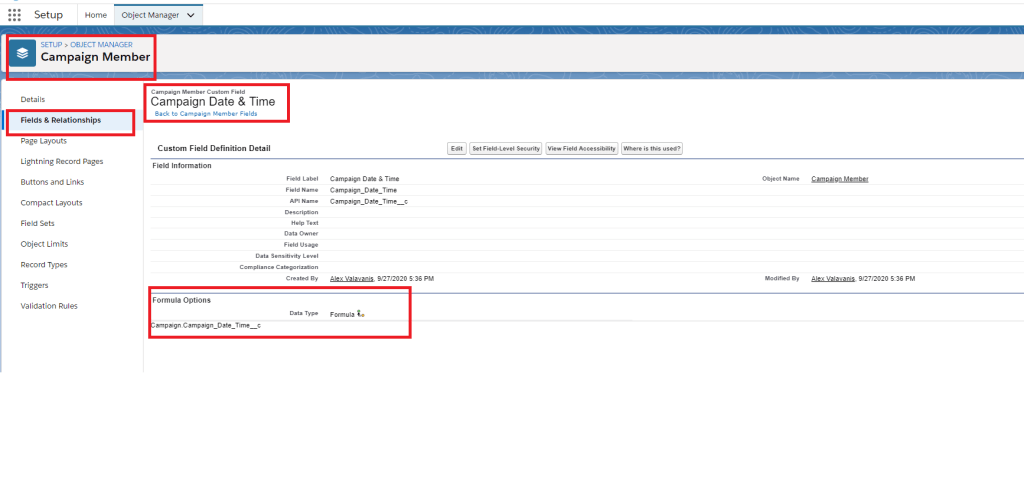
2. Create 2 formula fields on Campaign Member Object – Update formula options
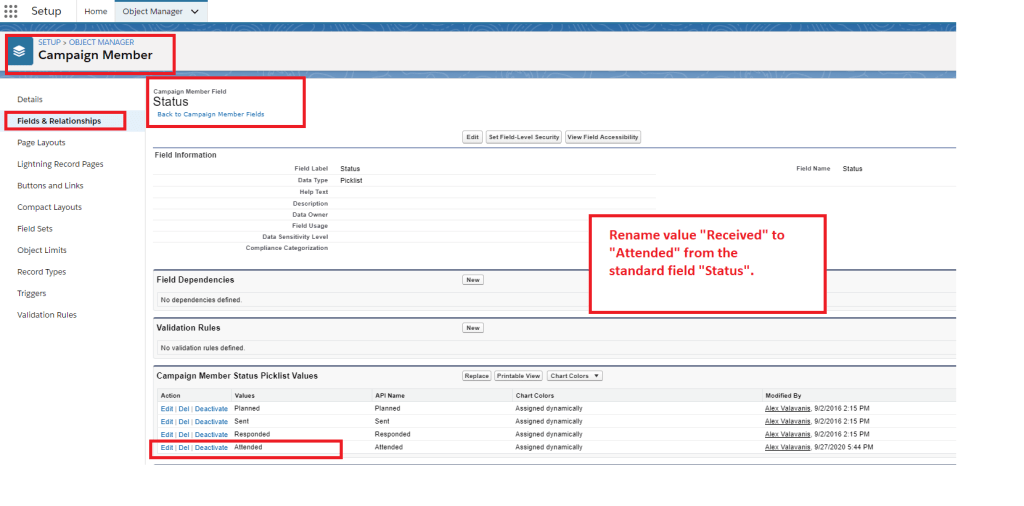
3. Update “Status” in Campaign Member Object
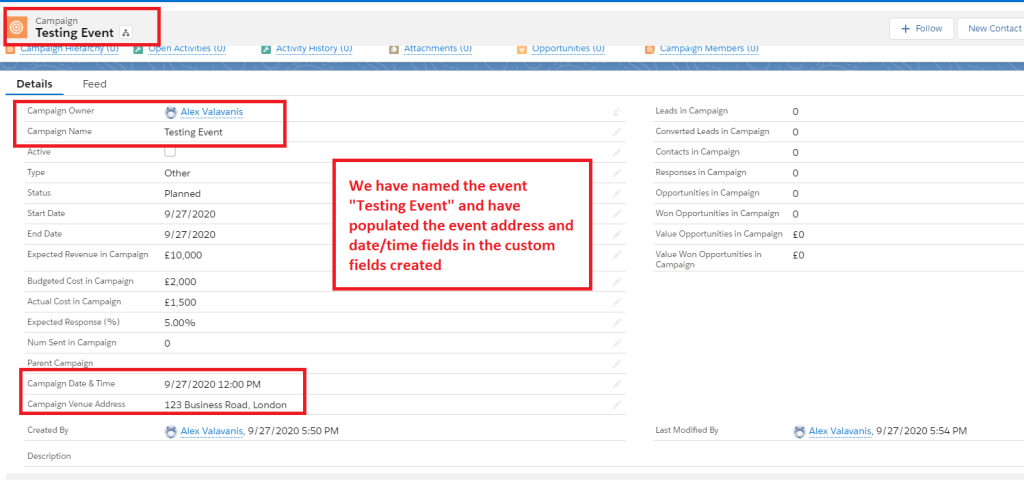
4. Create a Campaign
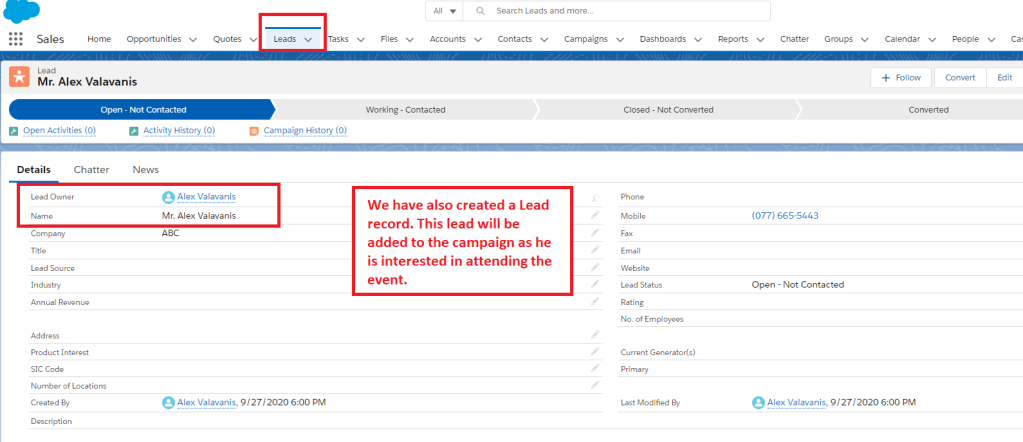
5. Create a Lead
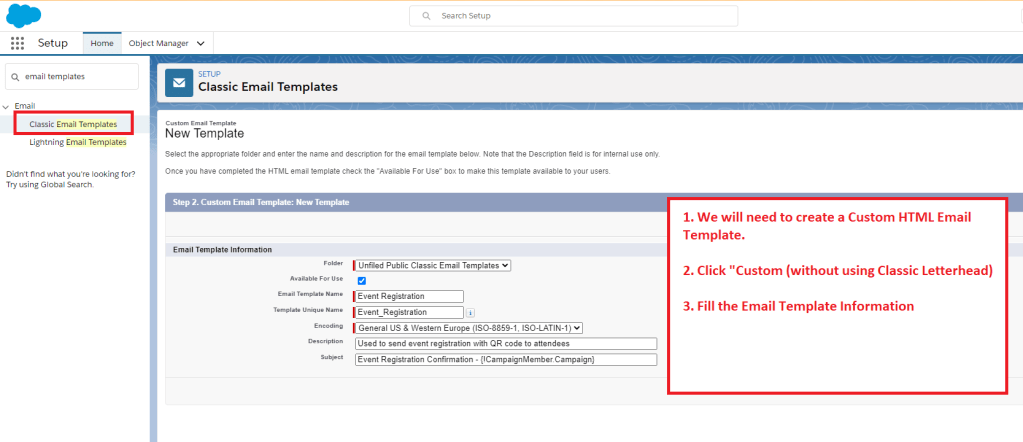
6. Create an Email Template
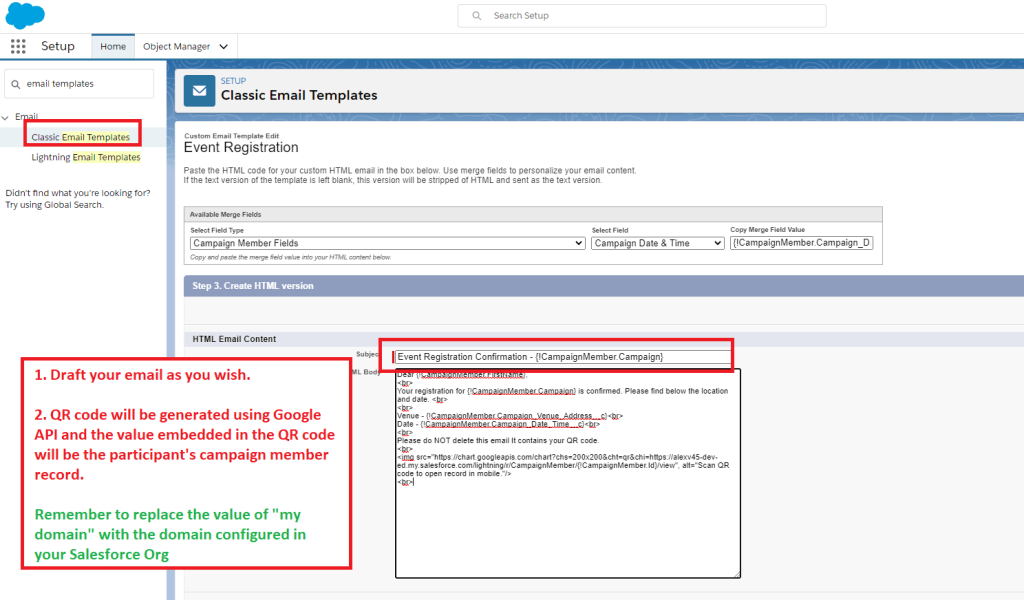
7. Draft your email template

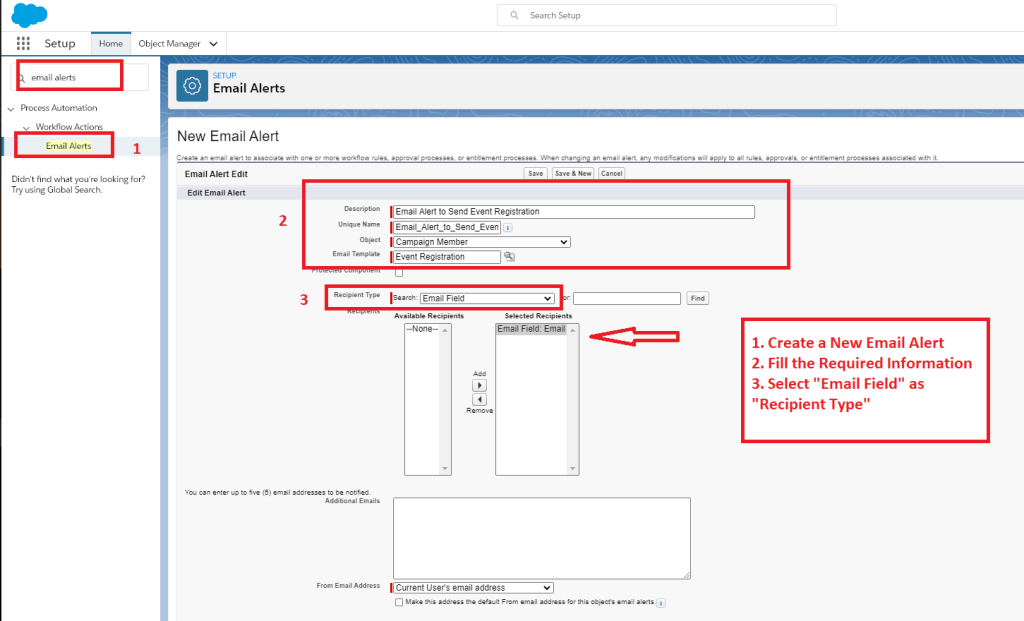
8. Create an Email Alert
9. Create a Process builder

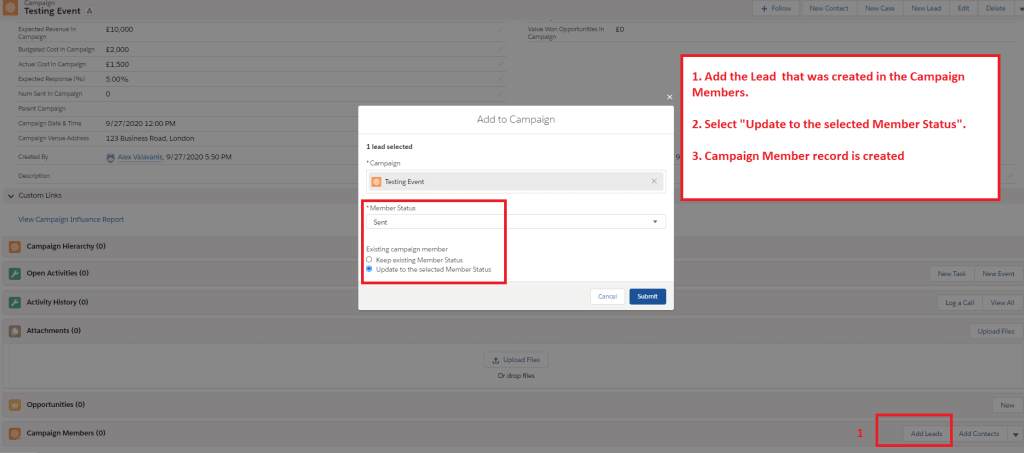
10. Now Test ! Add the Lead which was created in Campaign Members
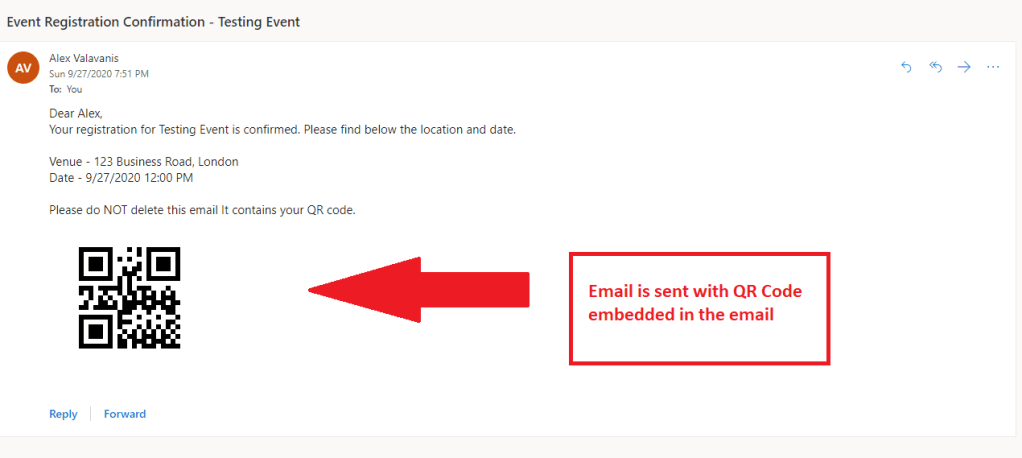
11. Email received !!
 Cloud Mantras