

Request is to draw attention to users highlighting messages using colour and bold characters. Users would like to see a message based on 4 criteria:
- If the contact is active and a Key Person then there should be a message saying “The contact is Active and a Key Person”.
- If the contact is active but not a Key Person then there should be a message saying “The contact is Active but not a Key Person”.
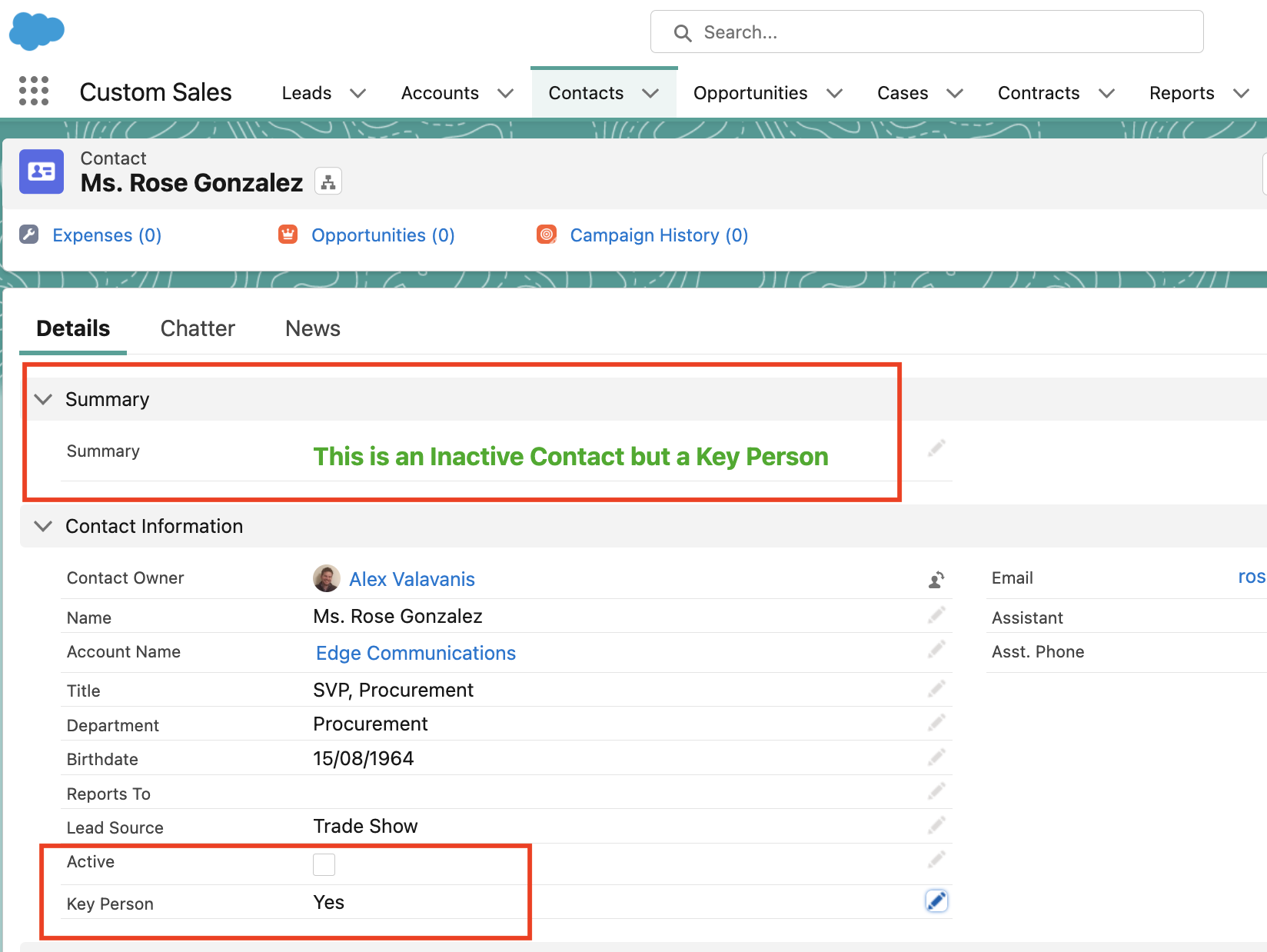
- If the contact is inactive but a Key Person then there should be a message saying “The contact is Inactive but a Key Person”.
- If the contact is inactive and not a Key Person then there should be a message saying “The contact is Inactive and not a Key Person”.
The messaging needs to also be in bold green letters.
Prerequisites:
For this scenario we are assuming that we already have an “Active” field (checkbox) and a “Key Person” field (Yes/No – Picklist)
Solution
Step 1
Step 1 is to create a a Rich Text field on your Contact object – Adjust the field appropriately on your page layout. See details below:

Step 2
Step 2 involves creating a flow (record triggered flow). This will be on the Contact object and will include a Decision element with the 4 outcome orders highlighted above. Each outcome will have an “Update” element with its own variable and message. Variable is a Text Template and have included a formatting based on the request (bold and green colour). Screenshots below and video included.


Step 3
Let’s test the outcome – Screenshot and video below.
 Cloud Mantras