
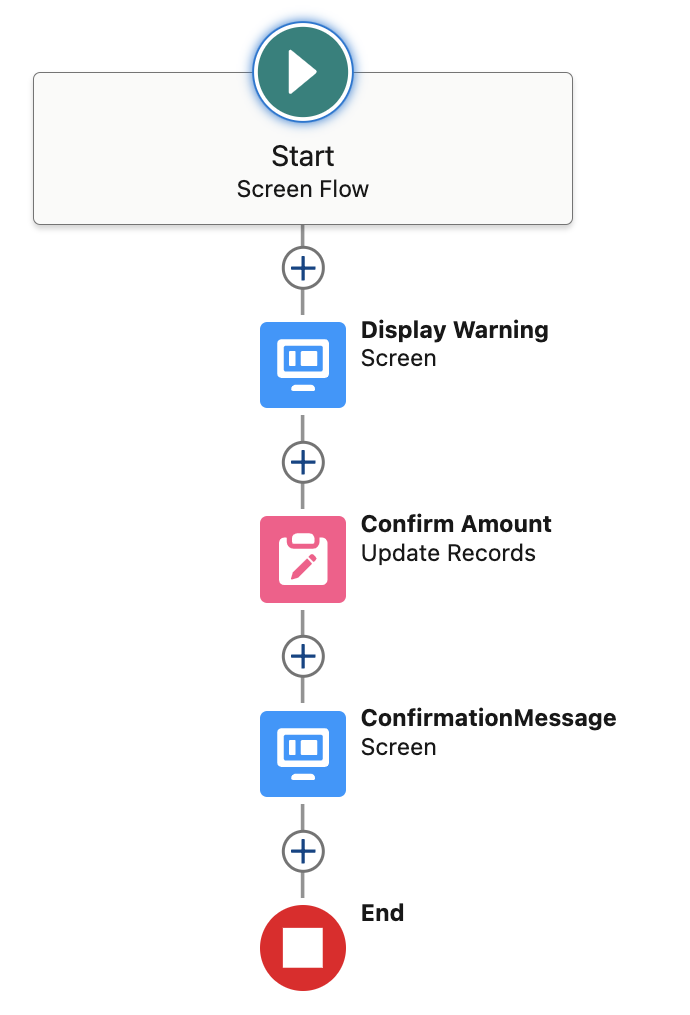
Use case request: Request is to display a screen warning when the amount of an Opportunity exceeds 10,000. User will need to confirm via a button that the amount is in USD millions.
Solution
Step 1:
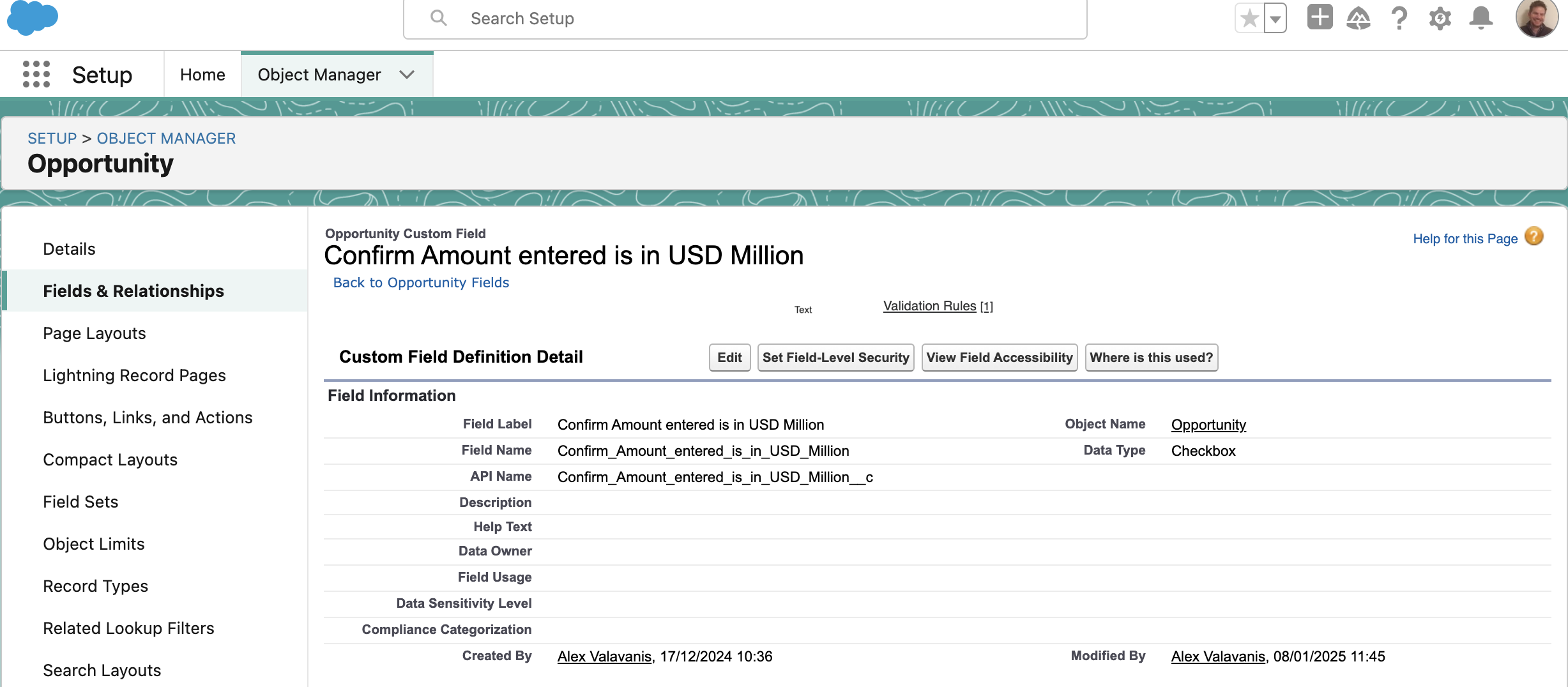
Create a checkbox field (Opportunity Object) and name it “Confirm Amount entered is in USD Million”. Field will be editable and added to the relevant page layout.
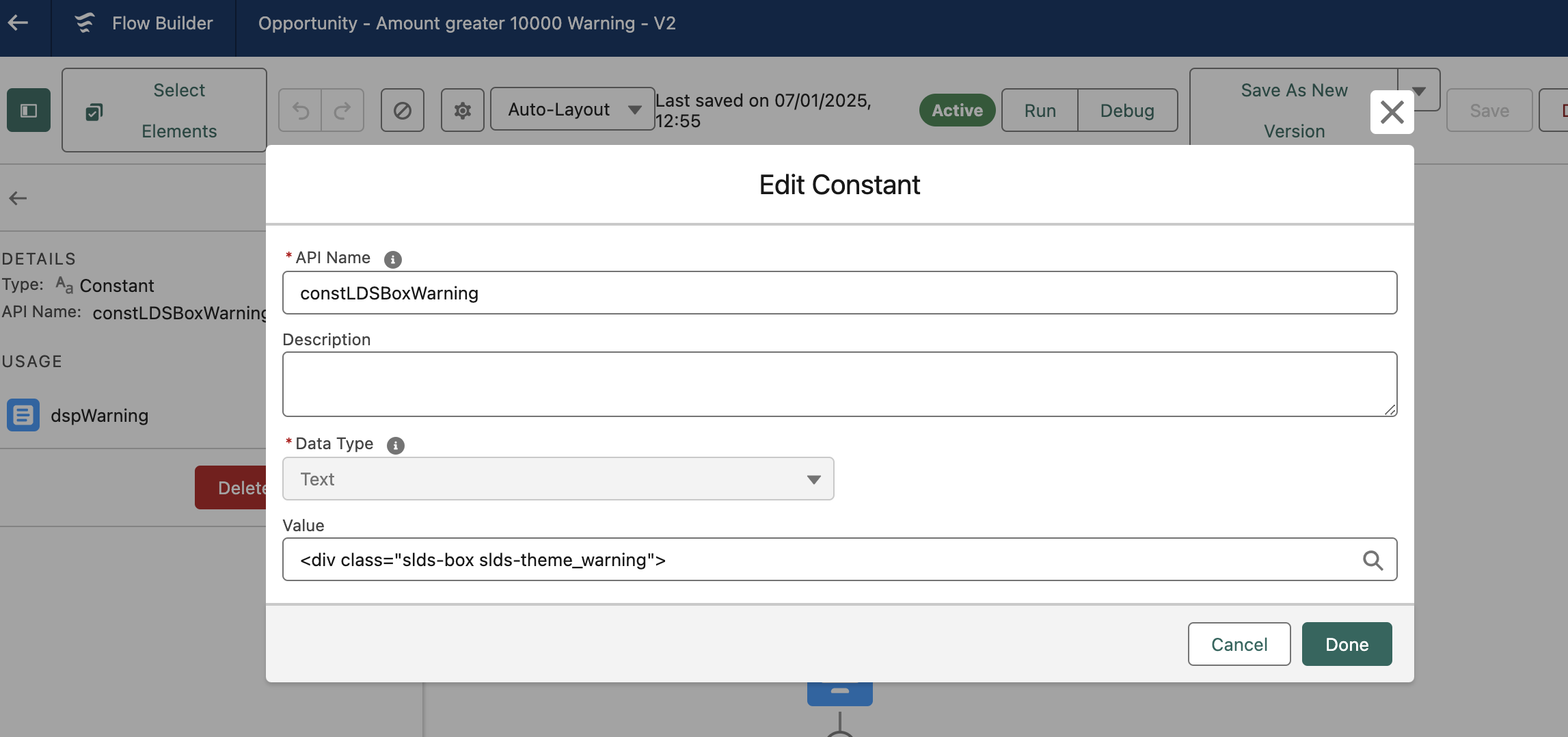
Step 2: Create a Screen flow. Once you create the flow you will need to create 2 constants and a Record Variable which you will use within the flow:
- Warning Constant (see screenshot below) – Add “<div class=”slds-box slds-theme_warning”>” within the value as shown below.
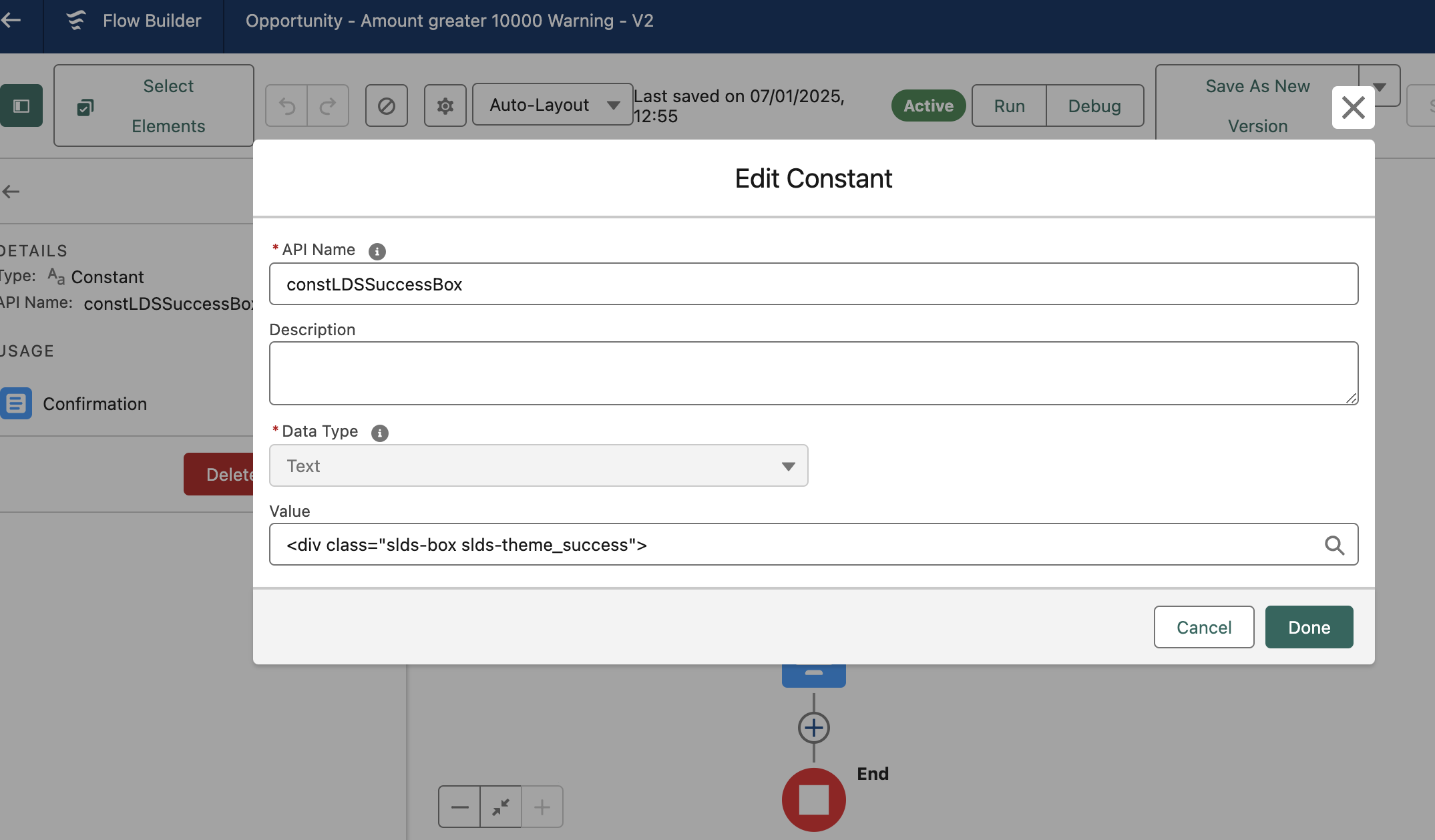
2. Success Constant (see screenshot below) – Add “<div class=”slds-box slds-theme_success”>” within the value as shown below.
3. Record Variable – See details below. You will use the variable when you create the “Update” element.
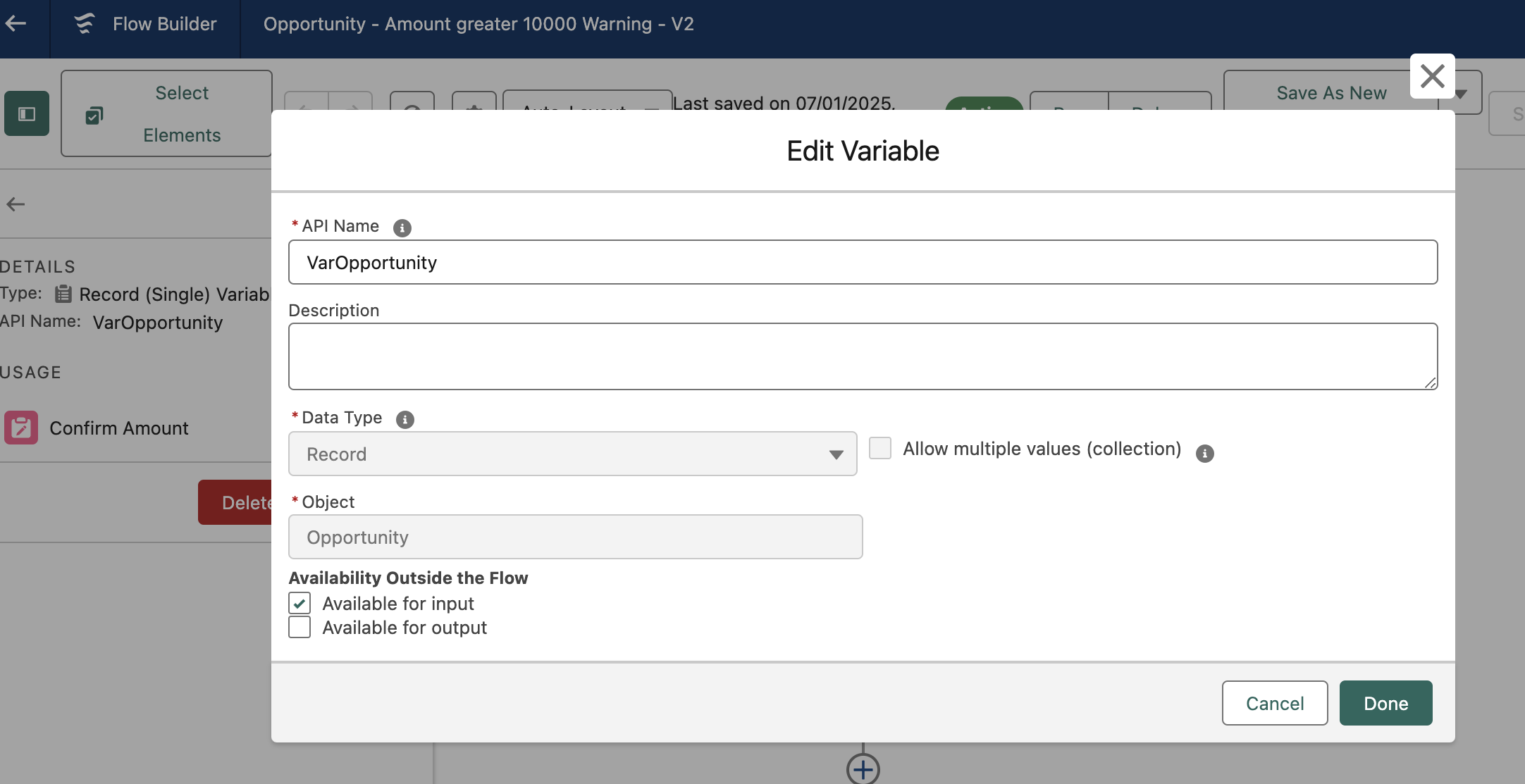
See details of the flow below:
Step 3:
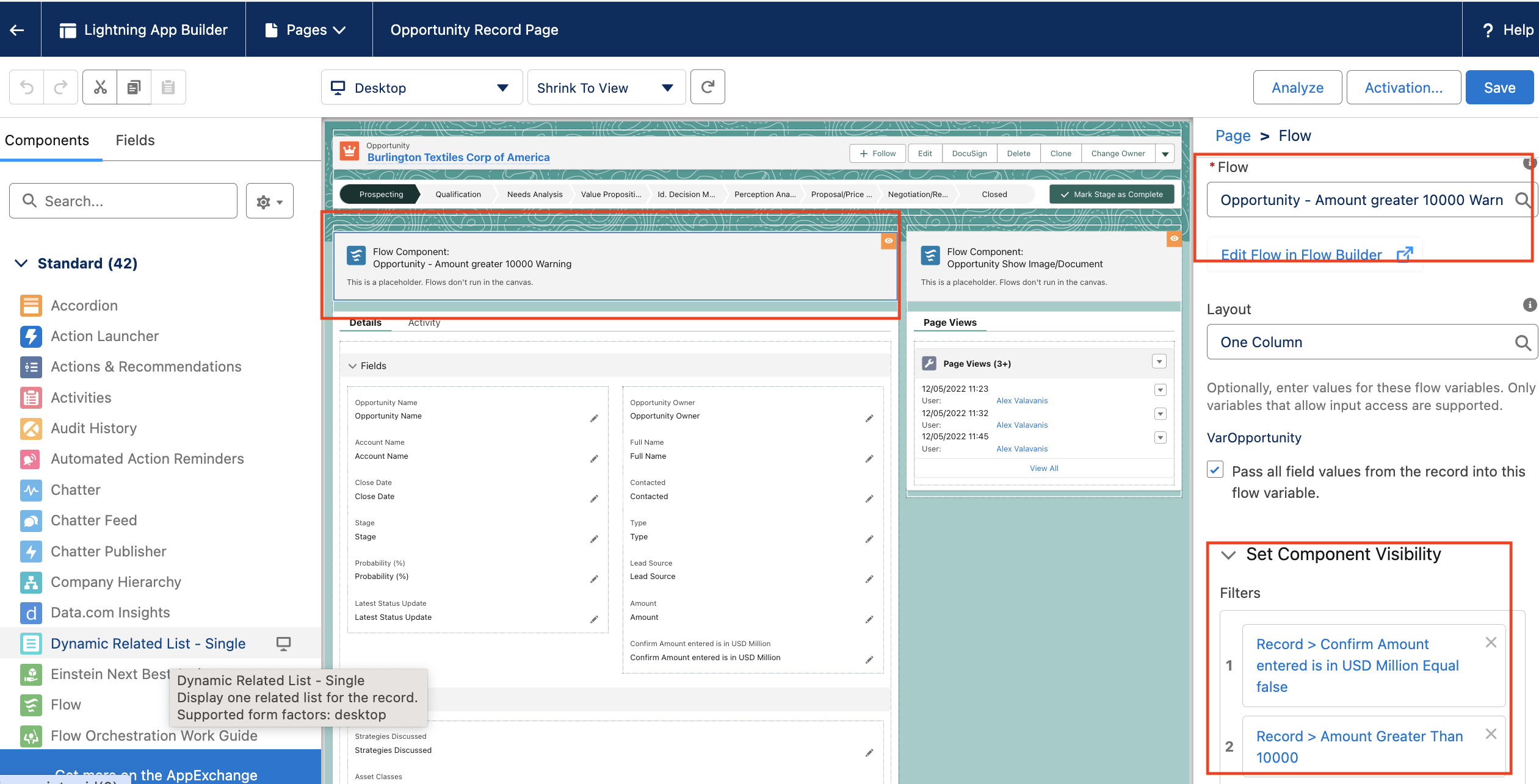
Add the Screen flow to the Opportunity Page Layout. Ensure you add Filter visibility as the Warning needs to be visible when Amount is >10,000 (screenshot below)
View demo below.
 Cloud Mantras